
KPay App Download & Verification — Complete Setup Guide
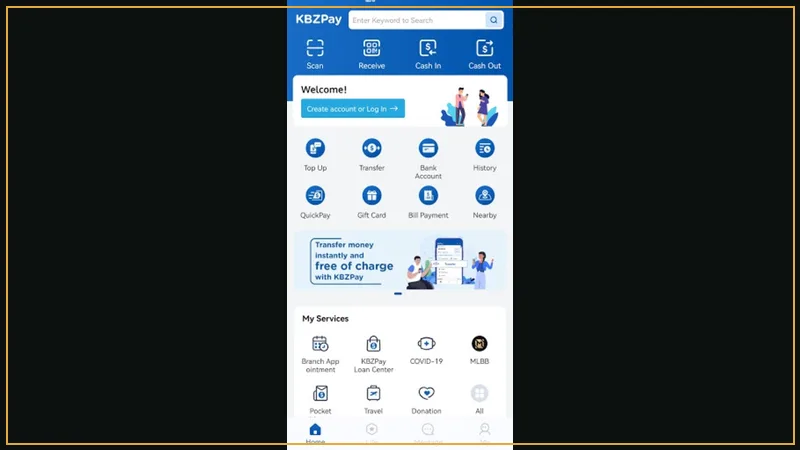
Key Metrics & Parameters
| App Developer | KBZ Bank Myanmar |
|---|---|
| Supported OS | Android & iOS |
| Verification Requirements | Myanmar NRC Card + Facial Biometric Scan |
| Level 1 Limits | 500,000 MMK Daily |
| Level 2 Limits | 10,000,000 MMK Daily |
How to Upgrade to Level 2 Verification
Upgrading your KPay wallet to Level 2 is essential for online gaming. Open your KPay profile, tap 'Verify Identity', take a clear photo of the front and back of your NRC card, and complete the 10-second facial biometric scan.
Linking KPay Directly to A80
Once verified, add your KPay mobile number to your A80 cashier settings. All future deposits and withdrawals will link automatically to this authenticated account.
Related Guides & Feature Portals
KPay APK Download — Official Android Package Installer
Direct APK download for the KBZPay app. Verified official installer, zero malware, fast installation, and inst...

Wave Money & WavePay — Instant Cash-In & Fast Cash-Out
Complete guide to using Wave Money and WavePay on A80 Myanmar. Over-the-counter agent deposits, app transfers,...
WavePay App Download — Official Wave Money Mobile Client
Download WavePay by Wave Money on Android & iOS. Account registration, NRC verification guide, and connecting ...
WavePay APK Download — Direct Android Installation Package
Download the official WavePay APK by Wave Money. Direct Android installer, fast setup, zero malware, and insta...

AYA Pay Casino Deposits — AYA Bank Mobile Banking & Cashouts
How to deposit and withdraw with AYA Pay on A80 Myanmar. Seamless mobile banking transfers, minimum 1,000 MMK,...
USDT Crypto Casino Deposits — Anonymous TRC-20 Payments
Deposit and withdraw with USDT (TRC-20) on A80 Myanmar. Anonymous cryptocurrency gaming, zero banking oversigh...
Essential Inquiries & Guidance
How long does Level 2 verification take on KPay?
Automated verification typically completes within 15 minutes to 2 hours during banking business hours.
Is KPay available on iPhones?
Yes, the KBZPay app is available for free download directly from the Apple App Store.